
What is Visual FoxPro?
Bob Fox • July 13, 2022
Updated June 11, 2026
featureVisual FoxPro — aka VFP, sometimes shortened to just FoxPro — is an object-oriented integrated development environment (IDE) with a built-in relational database engine. It's called an environment rather than just a language because VFP includes tools for creating and editing forms, classes, reports, labels, databases, and tables, alongside .prg files, which are Visual FoxPro's plain-text code files.
A brief history
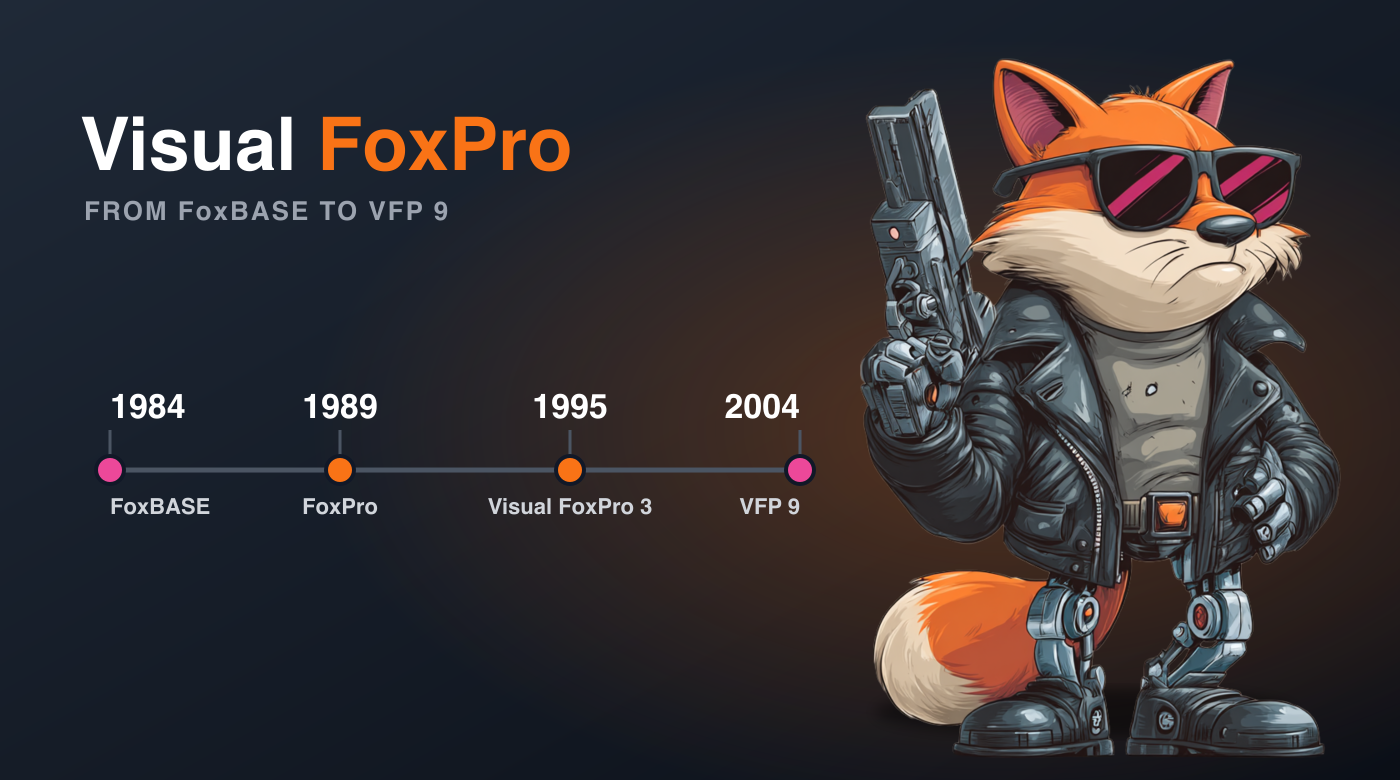
The "Visual" in Visual FoxPro arrived in 1995 with the release of Visual FoxPro 3.0. Before that, it was known simply as FoxPro.
Microsoft purchased Fox Software in 1992. After the acquisition, the FoxPro 2.5 line shipped for DOS, Windows, and Macintosh, with Unix following in FoxPro 2.6 — along with minor 2.5a, 2.5b, and 2.6 releases. FoxPro itself was the successor to FoxBASE, created at Fox Software in 1984 as a faster, dBASE-compatible database.
After 3.0, Microsoft skipped version 4 and jumped straight to Visual FoxPro 5.0 to line the numbering up with the rest of the Visual Studio family.
Version timeline
| Year | Release |
|---|---|
| 1984 | FoxBASE (Fox Software) |
| 1989 | FoxPro 1.0 |
| 1991 | FoxPro 2.0 (Rushmore query optimization) |
| 1992 | Microsoft acquires Fox Software |
| 1993–94 | FoxPro 2.5 / 2.6 (DOS, Windows, Mac, Unix) |
| 1995 | Visual FoxPro 3.0 — the first "Visual" release |
| 1996 | Visual FoxPro 5.0 |
| 1998 | Visual FoxPro 6.0 |
| 2001 | Visual FoxPro 7.0 |
| 2003 | Visual FoxPro 8.0 |
| 2004 | Visual FoxPro 9.0 — the last official version |
| 2007 | VFP 9.0 Service Pack 2 — the final update |
Why should you care?
If you run a business that still depends on a FoxPro or Visual FoxPro system, VFP is very much alive in your world. Countless systems were built in it over the years, and many are still in production today. And if you're a developer who has inherited one of those systems — or you're simply curious about a tool that punched well above its weight — VFP is worth understanding.
More than a language
Visual FoxPro makes it easy to create databases and tables and enter data into them. Like Microsoft Access, it also makes it very easy to connect menus, forms, and reports to that data. But where VFP really shines is in letting a developer get straight at the actual code to make customizations and optimizations.
See How to Create and Update Databases and Tables in Visual FoxPro for a hands-on tour.
The built-in database engine
Visual FoxPro has its own built-in relational database engine, and it's great because it doesn't require a server — you simply create files in a folder on the filesystem. It's also terrible because it doesn't require a server: getting file permissions balanced enough to let a VFP system function while maintaining a reasonable degree of security can be tricky.
Is it still used?
Visual FoxPro is a 32-bit Windows application that continues to run on current versions of Windows, though it sometimes requires a bit of special care and feeding precisely because it's older 32-bit software. Even so, countless systems developed in FoxPro and Visual FoxPro over the decades are still in use today.
Need help with a Visual FoxPro system?
If you're maintaining — or trying to modernize — a Visual FoxPro application and could use a hand, there are a couple of ways to reach me. You can get in touch through the contact page, or visit my company, RMSG, Inc., which specializes in Visual FoxPro and database work.
Want to try it yourself? Start with How to Set Up a New Visual FoxPro Installation, then explore the Top 7 Visual FoxPro Resources to keep learning.